Canva Sheets just levelled up: the practical guide
You’ve seen the headlines. Here’s the bottom line: Canva Sheets turns your data into a content engine. Feed it data once, and spin out on-brand graphics, videos, emails, and docs in bulk – localised, resized, and ready to publish. That’s not nice to have; that’s a new operating model for marketing operations, sales enablement, real estate, franchises, and retail. You get the idea. (Canva)
What’s actually new (and why it matters)
- Bulk Create inside Sheets
- Map columns to a design once and generate hundreds of variations (names, prices, SKUs, locations) with a click. Each output can be dropped back into a new column for tracking, allowing for a single spreadsheet to encompass an entire content campaign.
- Bulk Resize from a Sheet
- Paste your design links into a column and spit out the exact sizes you need (IG square, story, LinkedIn, poster) all without hand-rebuilding layouts. All this turns repurposing into an admin task, not a designer day.
- Formulas + functions (the “aha” moment)
- Sheets supports a growing set of functions. Use them to compute prices, dates, UTM strings, offer copy, or image filenames, then pipe those fields straight into Bulk Create. Data drives design; design updates when data changes.
- Magic Studio + Charts + Brand Kit
- Because Sheets lives in Canva, your outputs inherit Brand Kit rules, Magic Charts, and AI assistance. It’s data → on-brand creative in a few clicks and not copy-paste mayhem!
The mental model (how to think about it)
One table = one source of truth for the entire campaign.
Rows are “instances” (a store, a property, a segment), columns are variables (headline, price, address, CTA). Link the table to master templates and let Canva do the heavy lifting: generate, translate, resize, and track.
Five high-impact use cases (we run these for customers)
- Franchise/local store marketing
- The Sheet holds store names, promos, opening hours, and local language. Bulk Create pushes out geo-specific social, posters, and window decals. Bulk Resize delivers formats in one pass.
- Real estate listing packs
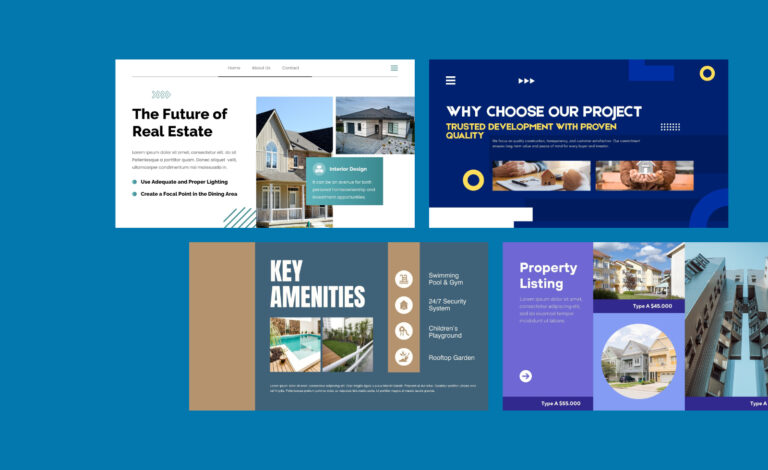
- Rows = properties; columns = beds, baths, price, suburb, agent photo. One click to generate tiles, brochures, window cards, and email headers, all on brand.
- Retail price changes + promo cycles
- Adjust pricing/valid dates once in the Sheet. Bulk Create regenerates shelf talkers and promo tiles; Resize publishes the entire set to digital screens/social media.
- Training/certificates & events
- Import attendee CSV → auto-generate badges, agendas, certificates, and tent cards. Update a late name change in the Sheet, and regenerate only that row.
- International campaigns (multi-language)
- Keep base copy in column A, translated copy in columns B–Z. Swap the mapped field to the locale, regenerate, and you’ll be shipping in 20 languages before lunch.
Where Canva Sheets beats the old workflow
- Speed: hours → minutes for multi-variant campaigns.
- Governance: The Brand Kit ensures consistency in fonts, colours, and logos across all outputs, maintaining a unified design.
- Repeatability: keep the Sheet as your evergreen asset; next quarter’s campaign is a copy + data refresh away.
If you’re new to Sheets, there’s more for you to learn here.
- Intro to Sheets (what it is and how it connects to creative). (Canva)
- Bulk Create from Sheets (step-by-step). (Canva)
- Bulk Resize from Sheets (Save Your Designer’s Sanity). (Canva)
- Functions in Sheets (build “smart” columns once). (Canva)
How Xanadu can help (pragmatic, done-for-you)
- Sheets Blueprint (2 weeks): we design your data model + master templates, wire up Bulk Create/Resize, and document the runbook.
- Ops-in-a-Box: we set up the cadence (data refresh → generate → QA → publish), train your team, and measure throughput.
- Scale packages: add localised languages, region variants, and API hooks as you grow.
Want this humming for your team? We’ll turn your first Sheet into a live campaign, and leave you with the system to run it again and again.